
- Click on the Windows Start Menu
- Find and open the remiWare submenu under the All Programs menu
- Find and open the remiCrystal submenu
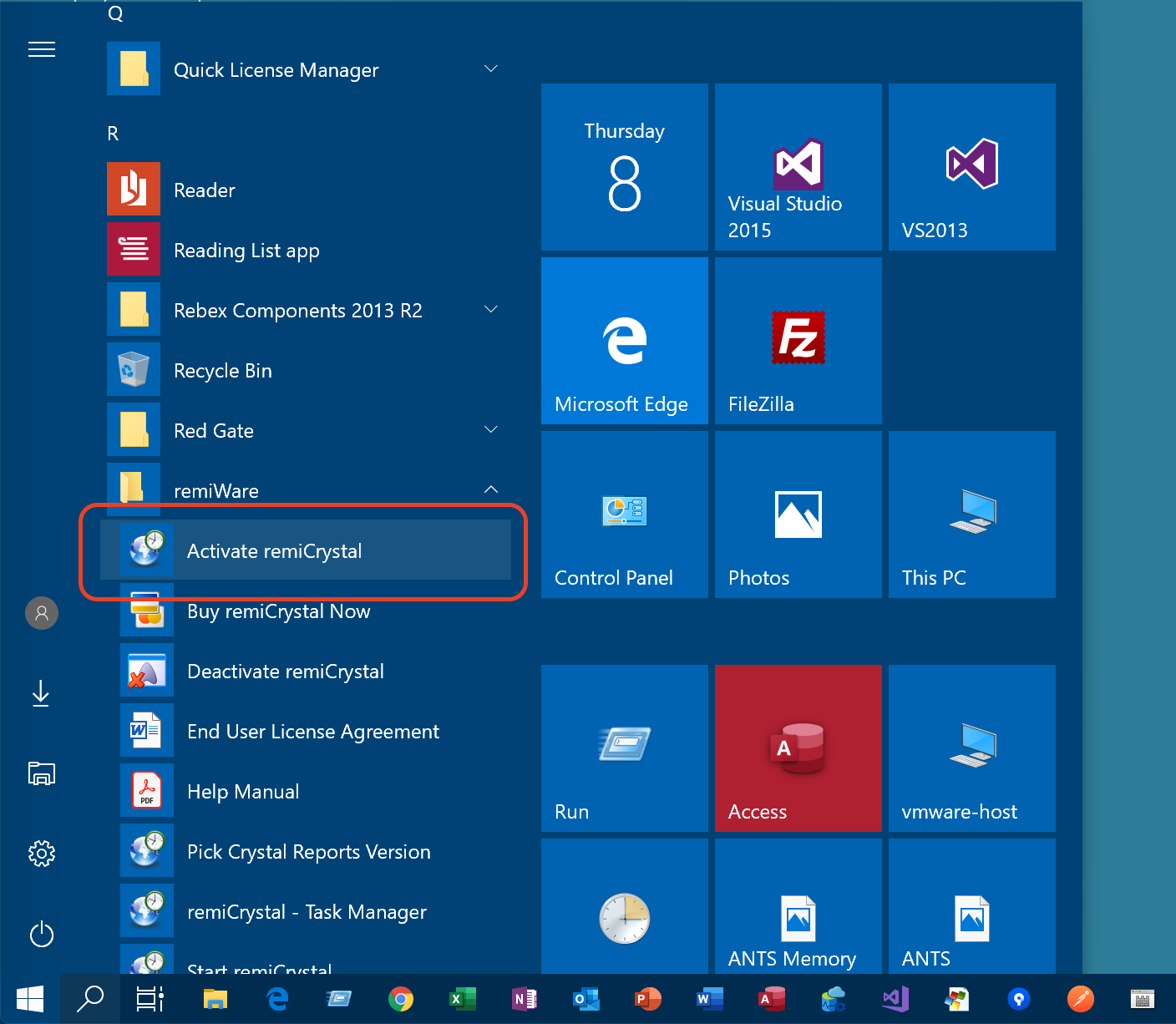
- Click on the Activate RemiCrystal menu item
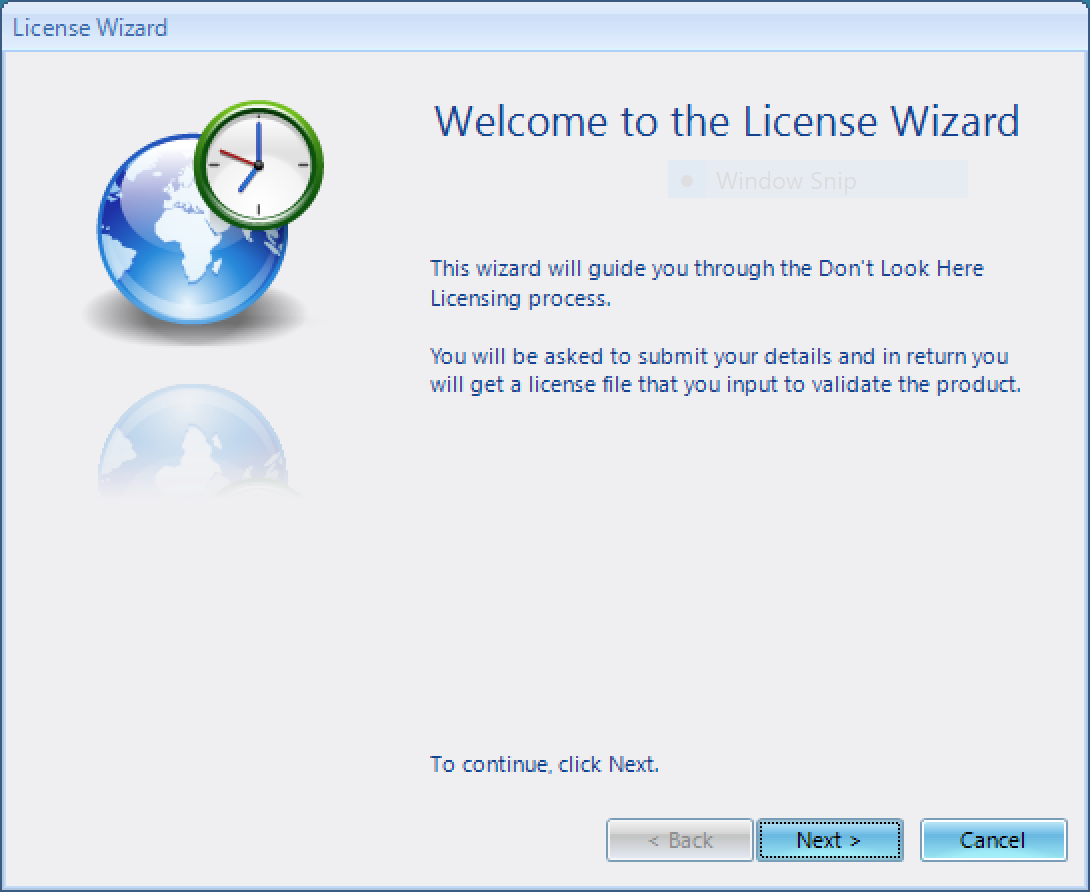
- The License Wizard will open. Click Next to proceed.
- Enter all your details
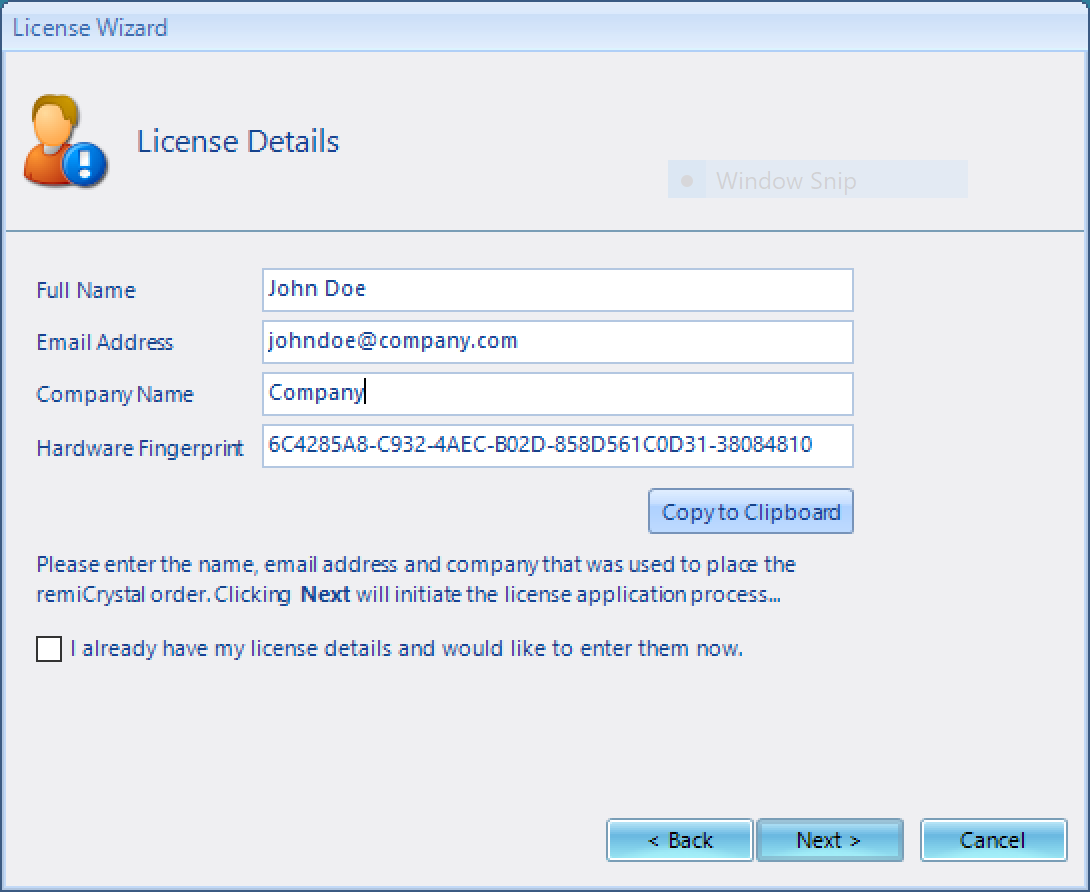
- Click Next to submit your activation request.
- If you receive an error, click Back and then press the Copy to Clipboard button and paste the information into an email and send it to support@remiware.com
- We will verify your information and email you back an activate image file.
- Once you have received the activation image, save the file to your computer and then click the Next button
- Select the saved license file by clicking on the "..." button and then hit the Validate button complete the registration
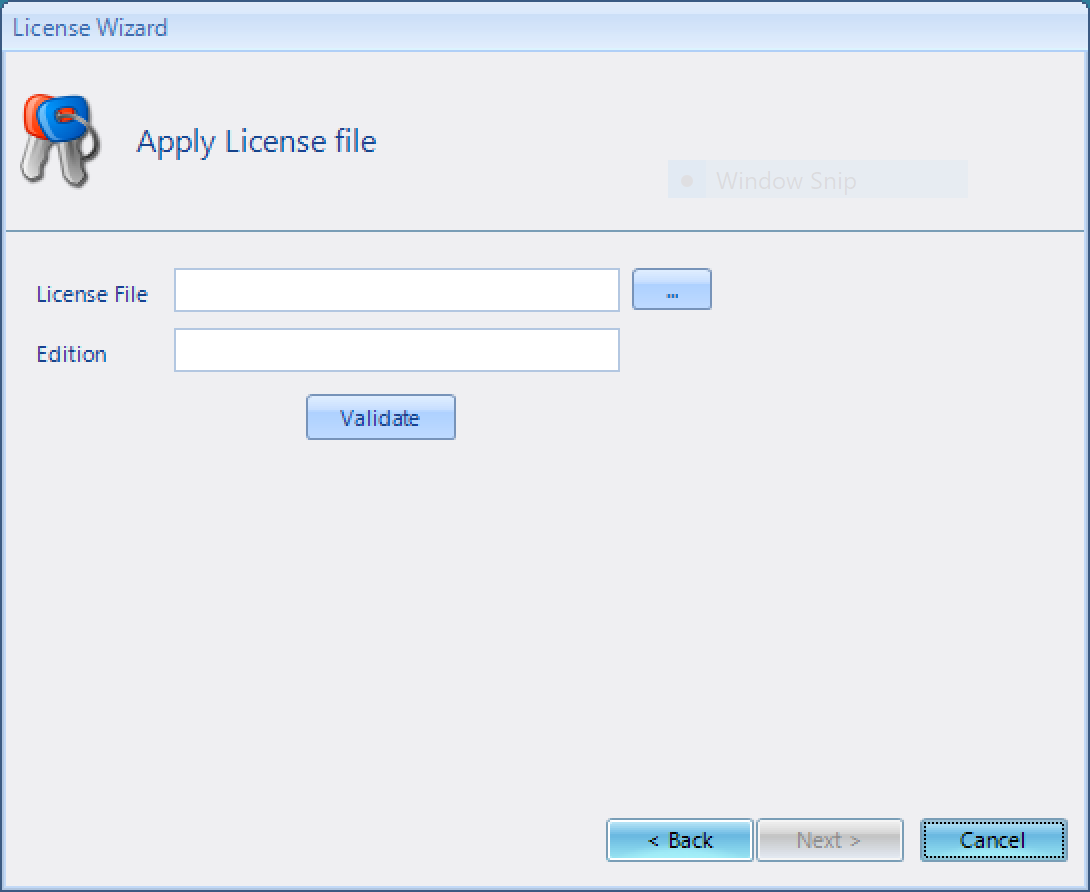
- Click Finish to exit the Wizard and remiCrystal is now activated.
Comments
0 comments
Article is closed for comments.