
Selecting the Right Version Of Crystal Reports
When remiCrystal is run for the first time after installation, it needs to configure itself for the correct version of Crystal Runtime files. remiCrystal supports Crystal Reports runtimes version 11 R2 or later.
If your server already has a version of the runtimes (usually the case if you use another piece of software that also utilizes the runtimes files), you can simply select the version from the Crystal version selection dialog. Don't worry, if you get it wrong, you can always pick a different version by selecting Pick Crystal Reports Version from the remiWare\remiCrystal menu in the Start Menu.
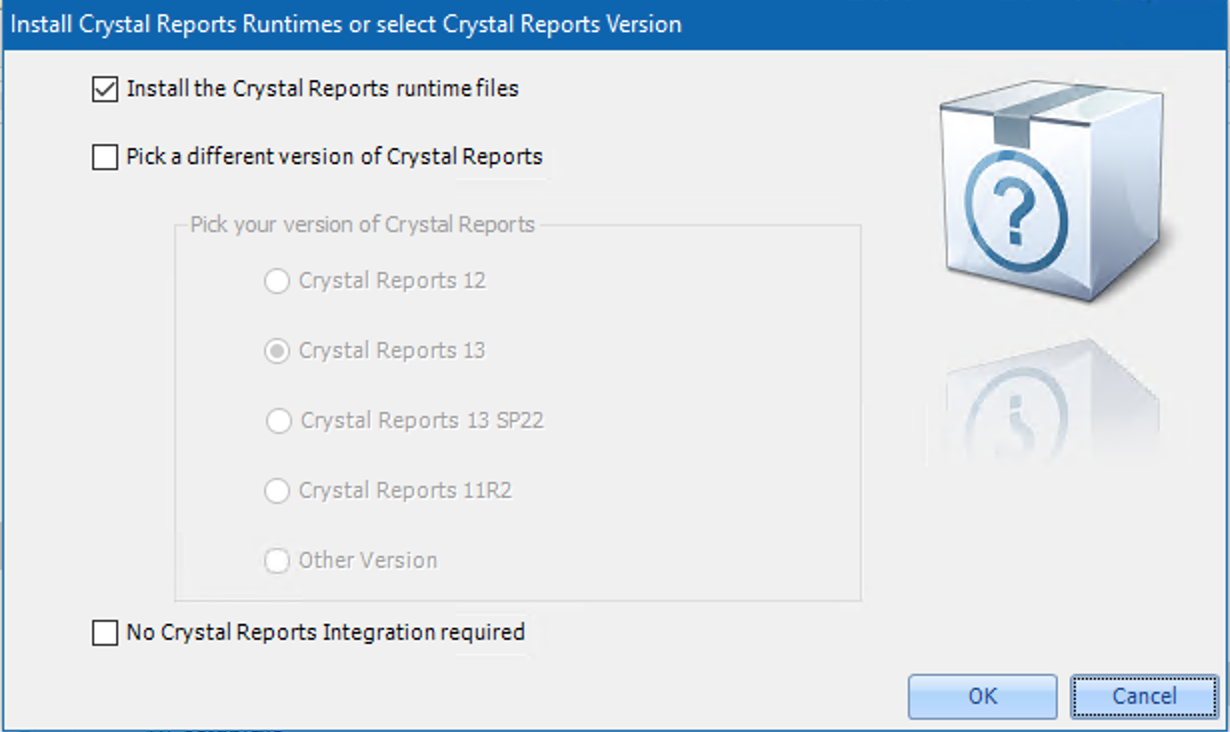
If your server does not have any runtimes installed, remiCrystal will install them for you and if you are not going to use remiCrystal for scheduling Crystal Reports, you can select the No Crystal Reports Integration Required option.
remiCrystal Home Screen

When remiCrystal loads, you will be presented with the Home screen with the following options:
- Create a Basic Task: a basic is one which can contain the combination of one or more Crystal Reports, SSRS Reports, Excel Reports and SQL Reports
- Create an External Data Task: also referred to as a data-driven task, this task type allows you to connect to your enterprise database using an SQL query database and run reports for every record returned by the query
- Crystal Report Bursting Task: Crystal Report bursting is a process where a single report is split up by group and exported to individual files. Each file is then delivered to separate recipients.
- PDF Bursting Task: PDF Bursting is when a single Crystal Report or SSRS Report is exported to a file and is then split by a special bursting field. The special bursting field can contain details such as emails addresses which can be used to deliver the reports.
- Open Existing Task: opens an existing remiCrystal task (which is saved as an rctx file)
- Run Multiple Tasks: allows you to select multiple remiCrystal task files to run them
- Pick Theme Color: you can customize the application color using this button
- View Crystal Report: this can be used to open and view any Crystal Report on your server/computer
- Give Us Feedback: got some feedback about remiCrystal? Let us know using this button.
Comments
0 comments
Article is closed for comments.